Sign a PDF online free, without uploading it
Sign Simplified runs entirely in your browser: open a PDF or image, place your signature, and download the signed file. Nothing is uploaded, ever, your document never leaves your device.
No account · No upload · Free forever
Never uploaded
Signing happens in your browser. An automated network test fails our build if the free signer ever transmits a document.
No account needed
Open the page, sign, download. No sign-up, no email address, no trial countdown.
Free forever
The in-browser signer is free and stays free, supported by unobtrusive ads.
01
How to sign a PDF without uploading it
Three steps, less than a minute, and your file stays on your device the whole time.
- 01
Open a PDF or image
Drop your file into the free signer. It loads locally in your browser, nothing is sent to a server.
- 02
Create your signature
Draw it with your mouse or finger, type it in a handwriting font, or photograph it and remove the background.
- 03
Place and download
Drag, resize, and rotate your signature into place, then download a flattened, signed PDF.
02
Sign Simplified vs. typical e-signature tools
Where your file goes
Sign Simplified
Stays on your device
Typical e-signature tools
Uploaded to their servers
Account required
Sign Simplified
None
Typical e-signature tools
Usually mandatory
Price to sign and download
Sign Simplified
Free
Typical e-signature tools
Free trial, then a subscription
Works without internet
Sign Simplified
Yes, with the Lite download
Typical e-signature tools
No
03
Everything you need to sign
Draw, type, or photo
Draw a pressure-aware signature, type it in a handwriting font, or clean up a photo of your ink signature.
Multi-page documents
Navigate pages, zoom in for precision, and sign anywhere on any page.
PDFs and images
Sign PDF, PNG, and JPEG files; images are wrapped into a clean single-page PDF.
Private by design
Documents are processed locally and never transmitted, a tested guarantee, not a promise.
7 languages
English, Spanish, Catalan, French, German, Italian, and Japanese, dates and numbers formatted correctly.
Works on your phone
Sign with your finger on any modern phone or tablet browser, no app to install.
DESKTOP PRO / LOCAL WORKSPACE
A proper home for your everyday signing
Meet Pro Desktop: reusable signatures, batch exports and a local files history in one focused app.
€49 one-time — lifetime license
Explore Pro DesktopInstallers: Windows x64 and macOS Apple Silicon. Internet is required for purchase, download and first activation.
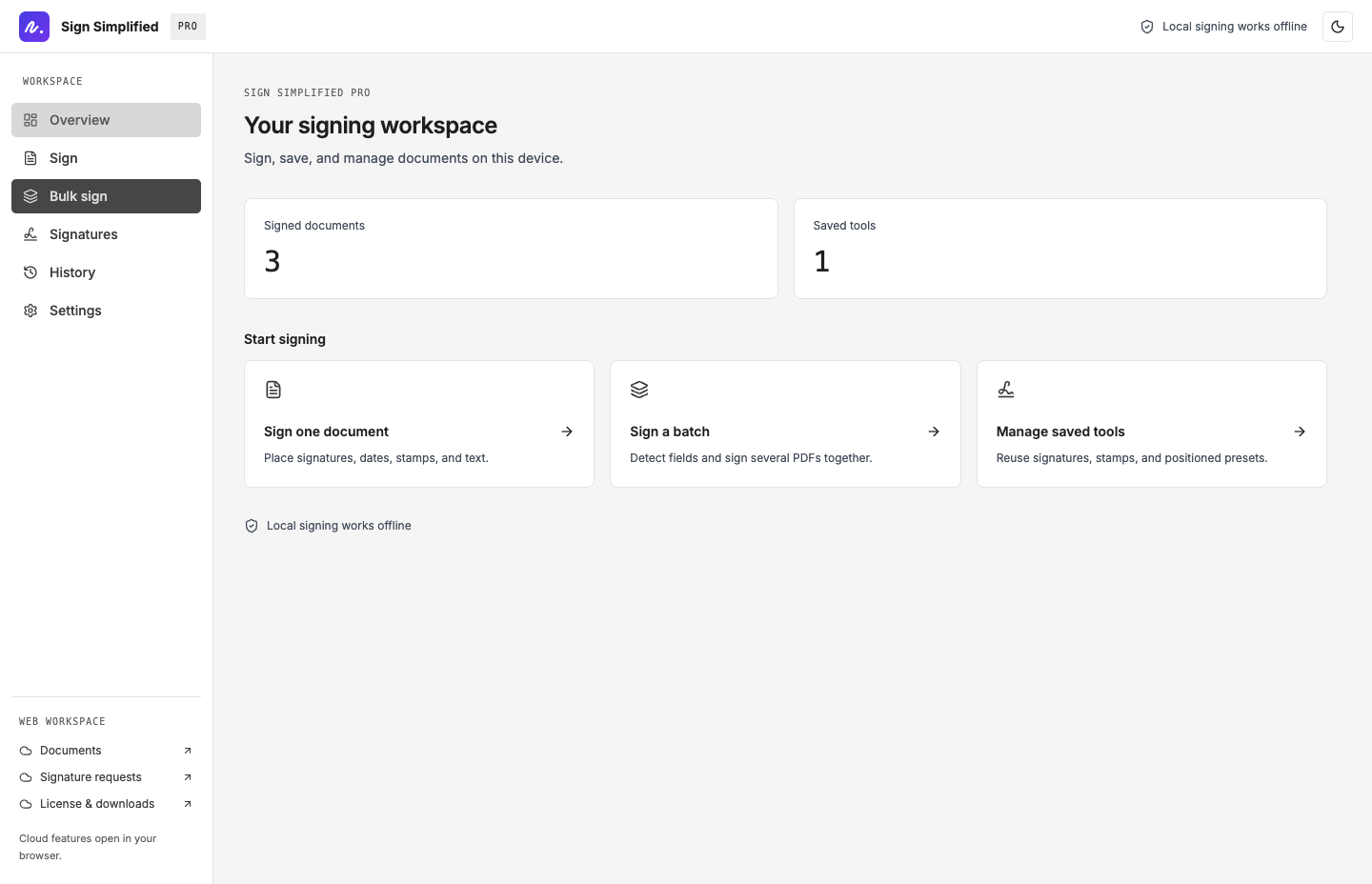
When you need more than a signature
Upgrade for a full document workflow, built on the same private-by-design foundation.
- Encrypted vault with a tamper-evident audit trail
- Request signatures from others with expiring links
- AI-assisted placement and bulk signing
- Certificate of completion emailed to every party
Own it forever
yours, offlinePrefer software that's really yours? Lite is the whole signer in a single offline file, buy it once for €49, keep it forever.
Get Lite04
Frequently asked questions
Does my PDF get uploaded when I sign it?+
No. The free signer runs entirely in your browser and your document is never transmitted. An automated network test fails our build if the signer ever sends a document anywhere.
How do I sign a PDF without uploading it?+
Open the free signer, load your PDF or image (it stays local), create your signature by drawing, typing, or photo, drag it into place, and download the flattened PDF.
Is it really free?+
Yes. The in-browser signer is free to use with no account, supported by ads. Paid plans exist for teams and workflows, not for basic signing.
Is a signature made this way legally valid?+
It produces a simple electronic signature (SES), which is suitable for many everyday agreements. For documents with strict form requirements, check the rules that apply to your case.
What file types can I sign?+
PDF, PNG, and JPEG. Images are converted into a single-page PDF before signing.
Can I sign documents offline?+
Yes. Sign Simplified Lite is a one-time €49 download, the entire signer in a single file that runs on your computer with no internet at all.
What proof do I get when someone signs my document?+
On paid plans, every request-to-sign records each event, link opened, consent given, signature applied, in a tamper-evident, hash-chained audit log, and signatures are applied by the server, so a signer's device can never alter or replace the document content. When everyone has signed, all parties receive a certificate of completion by email with timestamps, signer emails, IP addresses, and the document's SHA-256 fingerprint.
Sign your next document in under a minute
Free, private, and in your browser, your file never leaves your device.
Sign a document free